Integrating Technology & Genius Hour: My Journey as a Teacher & Learner
Find me on
  • My Blog
  • About Me
  • Genius Hour
  • My Other Websites

The Genius Hour Manifesto!

3/21/2013

0 Comments

 
PictureImage by Abode of Chaos – Thierry Ehrmann
A little while ago, AJ Juliani asked Denise Krebs, Hugh McDonald, Joy Kirr and I to write a collaborative piece on Genius Hour.  We gladly accepted and through the use of GoogleDocs we co-wrote "The Genius Hour Manifesto".  
 
Genius Hour is so important to me!  It is a time when students can inquire into their own passions and wonders!  Check out the Manifesto and our Genius Hour wiki for more information.


0 Comments

My Top 5 Reasons For Doing #GeniusHour 

3/3/2013

2 Comments

 
5.  Personalizing education is so important.  Not all learners are the same, so why should their education be the same?  Genius Hour allows students to choose their own projects, personalizing their own learning.


4.  Kids need time to be creative!  Check out Sir Ken Robinson's TedTalk below.
3.  Passionate people are successful people.  Students need time to find their passions.  I am amazed by how many of my students struggle to communicate what their passions really are.  They need time to explore their wonders (and often need some guidance with this too) so that they can figure out what they love to do.
2.  Inquiry based learning.  During Genius Hour students form inquiry questions to investigate.  Being able to ask questions is a key competency that we need to develop in students.

1.  Teaches resilience.  Students will fail during Genius Hour.  And they will problem solve and figure out another way to look at the problem.  We need to reinforce this learning strategy and Genius Hour is the perfect time for this.

BONUS: 
***Genius Hour is FUN.  In a survey I did with my class last year, most students listed Genius Hour as one of the top things we did that year!***

Did I miss anything?  What would you add to this list?


Haven't tried Genius Hour or 20% time yet?  
You will love it!
Check out the Genius Hour wiki and this post and this post.

2 Comments

Integrating Technology: But it is About so Much More Than That!

2/17/2013

11 Comments

 
So, should I change the name of my blog?

About two years ago when I started this blog, I meant for it to be a journal of some sort about the things I was learning to do in my graduate diploma course, ITDA, at SFU.  I was determined to figure out how to integrate tech in meaningful ways and wanted to document my journey.  Hence the title, "Integrating Technology: My Journey".  Well once I started the program and started analyzing my practise to see where tech needed to/could be integrated, I actually began an amazing journey which didn't only involve integrating tech, but rather I started truly reflecting on my practise and looking at WHY I was teaching the way that I was.  And I was examining everything!!  It wasn't just about integrating tech anymore...it became much, much more.  

I started thinking about student centred and project based learning.  I completely changed my math, science and social studies program in order to make them more hands on.  

I fell in love with Genius Hour and Passion Based Learning and now offer my students an hour each week in which they can learn about anything they want.

I partnered up with Hugh McDonald and we took down a wall in our school (one of those sliding ones, no hammers needed) so that we could team teach all the time!

We got rid of individual desks and were lucky enough to have our school get round tables for us so that our students could collaborate on everything.

With the support of our principal, we brought in alternate learning spaces and set up a couch area and bean bag area, giving students choice about where they wanted to learn.

We cut our boring spelling program and now teach it as needed.

I gave complete control of my the bulliten boards to my students. They own their learning and their learning space now. 

And we haven't even got to the technology integration yet!!!  Which has been fabulous (students are able to create amazing projects using iPads, we blog, we have ePortfolios, twitter, and so much more...the tech has been fantastic!  But certainly not everything.

I started this journey thinking that all I needed was to learn about some great apps...but it turns out my journey has been much, much more than that. And I am so thankful and I look forward to where the journey will take me next...so it is about my journey...but more than just tech.

So, should I change the name of my blog?  Hmm...

11 Comments

Digital Storytelling with Grades 6 & 7

2/17/2013

9 Comments

 
I have been playing  (yes, playing, I think playtime is so important and necessary with new technology) with Digital Storytelling since I first got an iPad.  But my experience really changed after I heard Dean Shareski talk about the 60 one second movie.  Well my colleagues and I loved this idea and we got right on to playing with our iPads and making our own sample movies.   Making a movie myself was very important...at our school we talk a lot about the importance of going where we want out students to go!  My Thanksgiving 60 second movie is below. 
Our students then created their own 60 second iMovies.  The challenge: Tell the story of School in 60 seconds (thank you to our prinicipal, Antonio Vendramin, for leading this with the grade 6s while the teachers went to camp with the 7s).  The results were fantastic!  The kids told a story using short video clips.
We have also told the story of Healthy Living, using the Learning Outcome: "Describes the benefits of being physically active on attaining and maintaining a balanced, healthy lifestyle" (BC Prescribed Learning Outcome) as our inspiration.  Again, students used the 1 second clip type of iMovie to tell their stories.
And last week, in time for Valentine's Day, we told our stories through music by creating Friendship Music Parodies.  Our inspiration was the learning outcome, "identifies characteristics of healthy relationships" (BC Prescribed Learning Outcome) and of course Valentine's Day too.  

Well, we certainly discovered that this type of storytelling (music video) was very difficult!  Students had to:

-choose a song
-rewrite the lyrics so that they were about healthy friendships and relationships-storyboard the song, thinking about how they were going to make the video images consistent with the new lyrics and the music
-film the story 
-sing their parody version of the song and layer over their video
-edit and add in friendship quotes as they saw fit

Students love storytelling.  Next up for us, telling stories using book creator with our little buddies.  We did this last year and they loved it!  

And then I am looking forward to trying out some new ways of digital storytelling!  Obviously you can see what types I am most comfortable with, but thanks to #etmooc, I am learning about so many more methods!  More to come soon...
9 Comments

"It's a Beautiful Day in the Neighbourhood"

1/27/2013

6 Comments

 
Okay, I am going to be honest here.  I haven't had a chance yet to join one of the #ETMOOC Blackboard Collaborate classes online.  I have added them all to my calendar with great intentions, but they all seem to be at a time where I already had a previous engagement or was still in the middle of my schoolday.  Life can just be so busy sometimes (and eastern time can be oh so early)

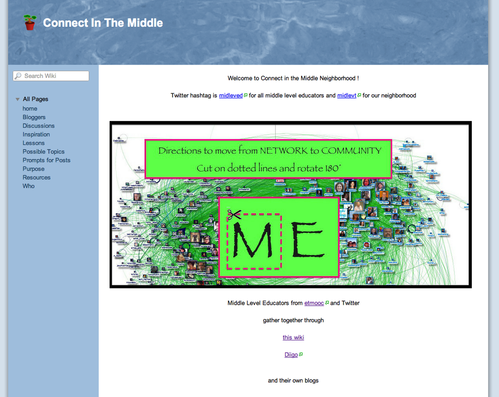
That does not mean; however, that I haven't been able to learn with my fellow #ETMOOCers!  Thank goodness for the twitter chat, hashtags and google+ group because that is how I have been able to stay in the loop, join great conversations, and check out your blogs and vlogs.  I have even, most recently, joined a Middle Educators Neighbourhood wiki (thanks to Sheri Edwards for including me in this).  
What a fantastic way to put it...a neighbourhood!  I just love it!  I have said in a previous blog post that you are all my colleagues in my new virtual hallway via twitter, but there is something to the word: neighbourhood.  

It reminded me of the intro song to Mr. Rogers (one of my childhood favourites).  And just how his neighbourhood had a magical feel to it, so too, does my virtual neighbourhood with all of you!  I feel so grateful to have found you all and to have even made friends in my online neighbourhood.  There is something magical to this indeed.

Thank you all for pushing me to best educator I can be by sharing your blogs, tweets, vlogs, comments and words of wisdom.  

What fantastic neighbours I have!


Picture
Connect in the Middle Wiki created by Sheri Edwards. If you are a Middle Grades Educator, click on the picture above and join us!
On the "Connect in the Middle" wiki, Sheri has taken some of the #ETMOOC prompts and encouraged us to blog about:
  • How important is connected learning? Why?
  • Is it possible for our classrooms to support this kind of learning? If so, how?

I think connected learning is so important.  And not just for my students, but for me as well.  As an educator, my practice began to transform when I became connected and started joining "neighbourhoods" of learners and educators.  Hang out in these neighbourhoods long enough and you can't NOT start to reflect on your own practise, start questioning education and make changes/improvements in your classroom. 

And if it works for us, then it should work for our students too?  I believe so.  My students are always excited when they get a comment on their blog from a student in another school.  They loved being a part of the Global Read Aloud, and they keep reminding me that we have to connect with Mr. Hong's class again! Connections are HUGE.  To all of us.

Thank you all for connecting to me and for being in my neighbourhood.


6 Comments

#ETMOOC

1/16/2013

3 Comments

 
I have never participated in a MOOC before, but the other day I noticed a bunch of people tweeting about #ETMOOC and I thought it looked interesting.  At first I was a little nervous about committing to a course since I am already teaching full time and in a part time Graduate Diploma Program at SFU, but once I realized that this MOOC is classified as a network-based MOOC where participation is "encouraged but not mandatory", I was in!  Iove learning and this format sounds really appealing!  I think I can handle it! 

This week is orientation week and we are supposed to introduce ourselves on our blog somehow; I will be working on a video tonight! 

Want more information?  Check out the hyperlinks above and see what orientation will look like here.

You can still register for #ETMOOC this week!  

Looking forward to learning with all of you!

3 Comments

Here is the Learning Outcome & an iPod...GO!

1/7/2013

4 Comments

 
We tried something new this past month in Health & Career 6/7.  Hugh McDonald and I wanted to give the students more opportunities to be creative (besides their Genius Hour time of course), so we gave groups of 4 students a Learning Outcome and an iPod and said make a short 60 second movie (inspired by Dean Shareski) proving your understand this Learning Outcome:
"Describes the benefits of being physically active on attaining and maintaining a balanced, healthy lifestyle" (BC Prescribed Learning Outcome)
Students had a wonderful time creating these short movies.  They:

-COLLABORATED to decide on a story/scenes for their movies
-CRITICALLY THOUGHT about what the learning outcome meant to them.  Side note: many decided that although the learning outcome didn't mention healthy eating, they ought to include it because then it would be easier to be physically active, since they would have the energy from the nutritious food.  
-CREATED short skits and took turns filming 
-COMMUNICATED their thoughts through video and shared online

A nice, short unit that is very student-centred and encompasses many aspects of 21st Century Learning.  
I am so thankful that I have such a great teaching partner, Hugh McDonald, who thinks up great ideas like this all the time! 

Here are a few examples:
4 Comments

Wifi in School: The Student Perspective

12/9/2012

9 Comments

 
I have been planning this blog post, since having a very interesting conversation with twitter pal, Heidi Hass Gable (@HHG), a couple of weeks ago.  We talked about the benefits of WiFi and how my teaching has evolved since my school went wireless.  So, I have been thinking about this post since then and was planning on writing about my transformation from "teacher at the centre of it all" to another body blending into the crowd...you have heard it before-- "The guide on the side instead of the sage on the stage".  That sort of thing...and it is all true and it has been an amazing journey!

But then the nature of this post switched...

My friend and teaching partner, Hugh McDonald (@HughTheTeacher) gave our students WiFi as the topic for their blog post this week...and now my perspective doesn't seem as important anymore...instead here is what our students think about how WiFi and how it has changed their learning.
Picture
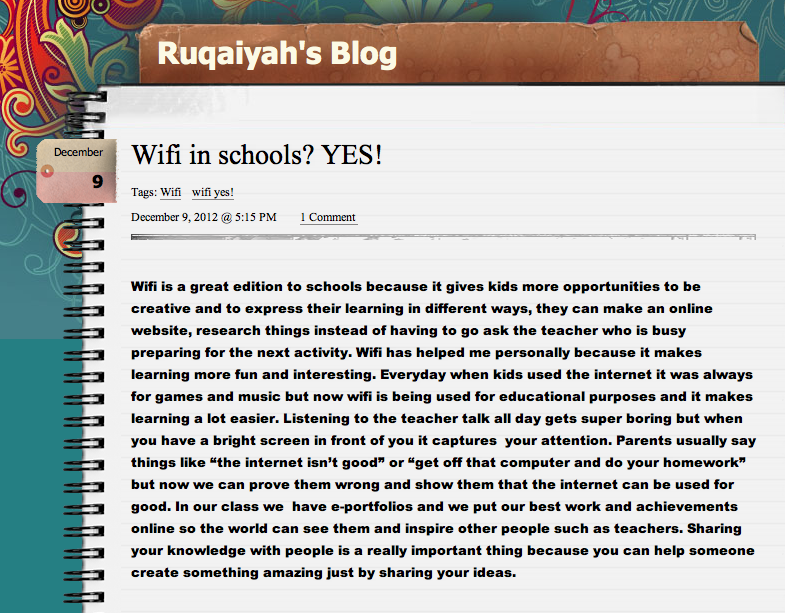
Ruqaiyah is in grade 6.
I absolutely love her thoughts on sharing her learning; "In our class we have e-portfolios and we put our best work and achievements online so the world can see them and inspire other people such as teachers.  Sharing your knowledge with people is a really important thing because you can help someone create something amazing just by sharing your ideas".  How brilliant!
Another 6th grade student, Sarah, wrote, "We need wifi in school because it’s You can talk to other people around the world about the project that we are doing like the globel read aloud about a book called the one and only ivan which is amazing talking to other schools about it".
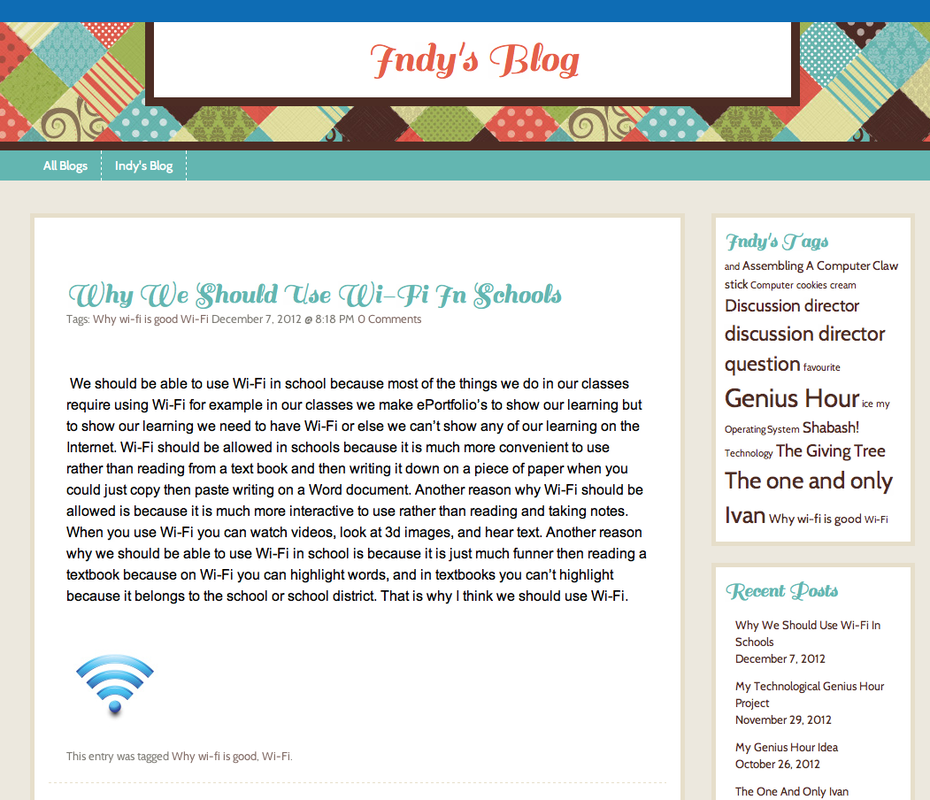
And here is Indy's blog:
Picture

Amanjot, a grade 7 student, points out that  "With wifi you have a variety of ways of getting research done, you have pictures and videos. In math now we are making a arcade game and we need to learn all the learning outcomes. Most of the people in my class don’t know how to do circumference. So they search it on you tube".

Students taking charge of their own learning?  Sounds good to me!

Marianne, a grade 7 student brought up a few different benefits, one being presentations.  She stated, "We also use it a lot for presentations, such as PowerPoints, creating websites or just writing something on Word. It’s more interesting to be able to learn it by creating it and using many cool features than just writing it on a poster. Other students that may be watching the Powerpoint will be engaged in it and taking a lot of information in".

I could keep going and going, or if you are interested please check out all our blogs at kidblog.org/mrszisclass-2.  We would love to hear your comments!  

The children have spoken, and they see the benefits that WiFi has had on their education: the sharing with a global community, the ability to create and share their ePortfolios, iPad math games, etc.  It is a part of the way we learn now and gives us so many opportunities.

What do you think?  Has it changed the way you teach or the way your students learn?
9 Comments

CBL, IBL and PaBL...loving the "BL"s lately!

11/15/2012

5 Comments

 
I have had a fantastic week!  So much professional development!

Yesterday I went to a workshop on Challenge Based Learning at Apple Canada Inc.  Challenge Based Learning is like Project Based Learning but with an authentic challenge to do something about a real challenge/problem in the world.  It was very inspiring!  Read more about it here.

Then today I was lucky enough to attend the Surrey School district's Engaging the Digital Learner DInner Series and hear Shelley Wright talk about Inquiry Based Learning.  Learn more about Shelley here. 

And finally, Hugh McDonald and I also put together a short video and presentation for the same Dinner Series on Passion Based Learning and Genius Hour.  I spent a lot of time this week interviewing students and talking to them about Genius Hour--it was great to hear how passionate they were about Passion Based Learning!
Check out our students below:

It has been a wonderful week!  Lots of learning, reflecting and collaborating! Love it!

Special thanks to Antonio Vendramin for supporting me (with release time, etc) to participate in all of these awesome Pro D opportunities, to Elisa Carlson for providing us with such great learning opportunities, to Hugh McDonald for learning/sharing with me, and to my husband for being supportive of my learning and late night Pro Ds.

What did you learn about this week?
5 Comments

Introducing Genius Hour

10/27/2012

9 Comments

 
October 3rd was our last #geniushour chat (click here to learn more about Genius Hour) on twitter.
We had a fantastic conversation and some great ideas were shared.   Since that chat (click here to see all archived chats), I have had a few more people ask me about how to introduce Genius Hour.  So I thought I would compile a list of all the wonderful strategies that were discussed. 

Here it goes…

  • Danielle Porte tweeted about doing a guided Genius Hour to start her class off this year.  I love this idea!  What a fantastic way to be able to model the inquiry process for your class!

  • Similarly, Katy Gartside tweeted, “this week they are brainstorming ideas with parents for their indiv proj. Then we'll share, post on wall & they can add ideas” Then they did a group project.  I love how she involved the parents into the process!    

  • Robyn Thiessen’s students have passion portfolios and they store their thoughts and ideas for Genius Hour in them! She introduced inquiry to her young students (yes, it can be done in primary!) through ME projects (delving into topics like what are your values and what are you not...I just love that this is with grades 3s and 4s).

  • Denise Krebs' students are researching and presenting their Genius Hour plan before they begin their actual projects. Denise also put together this Genius Hour creativity rubric that students use to show their growth


  • Joy Kirr gets her students into the inquiry process by asking them to think not only about what they wonder about, but also to reflect on what really bothers them!  What a fabulous way to get students to start thinking.

  • Katrina Ling tweeted, “I set up a wonder wall too for #geniushour, we watched videos and brainstormed ideas. There are some kids invention videos from Ellen show.” Watching videos is a great hook!  Kids love to see what others have done and it gets them thinking hey I could do that. 

  • Hugh McDonald also shared how he likes to introduce Genius Hour with YouTube videos that inspire curiosity and talk about Genius.  Some videos he uses are:

This year, Hugh and I introduced Genius Hour together.  We showed our students the above videos, got them thinking about their passions and wonders and, finally, we modelled it. We both spent some time on a weekend creating our own little Genius Hour projects.  Neither of us had ever made a movie using iMovie for iPads and it was something we wanted to learn more about, so we both learned how and created a short iMovie each.  Perfect for sharing a little of our lives with our students and for modeling the inquiry process! Thank you Dean Shareski, Antonio Vendramin and Jodi Pulvers for the inspiration.

Hugh's Genius Hour 60-1 Second Clip iMovie

My Genius Hour 60-1 Second Clip iMovie

I am sure there are many more ideas out there from other great teachers about how to introduce Genius Hour.  Please comment below if you would like to add to this list!

And I hope this has helped any of you out there that have wanted to start Genius Hour, but didn’t know how.  Happy Inquiring :)


Other educators that have blogged about introducing Genius Hour
Tia Henriksen
Kelley Inden
9 Comments
<<Previous
Forward>>
    Picture

    Author

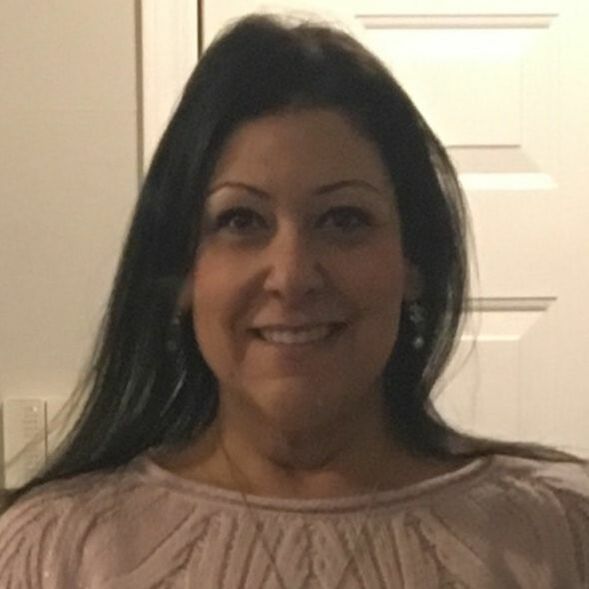
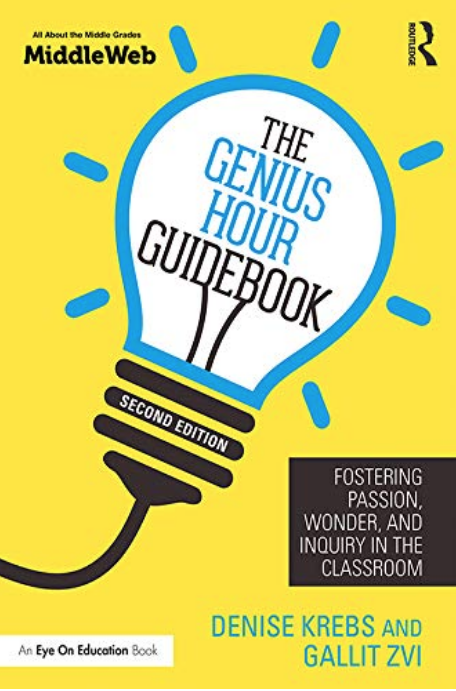
    My name is Gallit Zvi and I am an Elementary School Teacher and Vice Principal in Surrey, BC. I am also a blogger and co-author of The Genius Hour Guidebook.
    Click to continue...

    Picture
    Tweet
    what is genius hour?
    My Genius hour posts
    geniushourguide.org
    geniushour.ca
    Picture
    Tweets by @gallit_z
    Gallit on Pinterest

    Archives

    April 2020
    January 2019
    July 2018
    October 2017
    April 2016
    March 2016
    November 2015
    October 2015
    July 2015
    June 2015
    May 2015
    April 2015
    January 2015
    October 2014
    July 2014
    May 2014
    February 2014
    December 2013
    October 2013
    September 2013
    July 2013
    May 2013
    April 2013
    March 2013
    February 2013
    January 2013
    December 2012
    November 2012
    October 2012
    September 2012
    August 2012
    July 2012
    June 2012
    May 2012
    April 2012
    February 2012
    January 2012
    December 2011

    Categories

    All
    Appsmashing
    Assessment
    Blogging
    Byod
    Capp
    Collaboration
    Community
    Cooperation
    Creativity
    Critical Friends
    Cross-curricular Connections
    Differentiation
    Digital Literacy
    Digital Storytelling
    Eportfolios
    #ETMOOC
    Field Study
    Genius Hour
    Hac
    Imovie
    Inquiry
    IPads
    Iste
    Media Literacy
    Mr. Rogers
    Museum Box
    Picture Books
    Place Based Learning
    Powerpoint
    Prezi
    Reflection
    Stations
    Teaching
    Technology
    The Genius Hour Guidebook
    Twitter
    Web 2.0
    Web 2.0
    Wifi
    Youtube

    RSS Feed

    Picture
Powered by Create your own unique website with customizable templates.